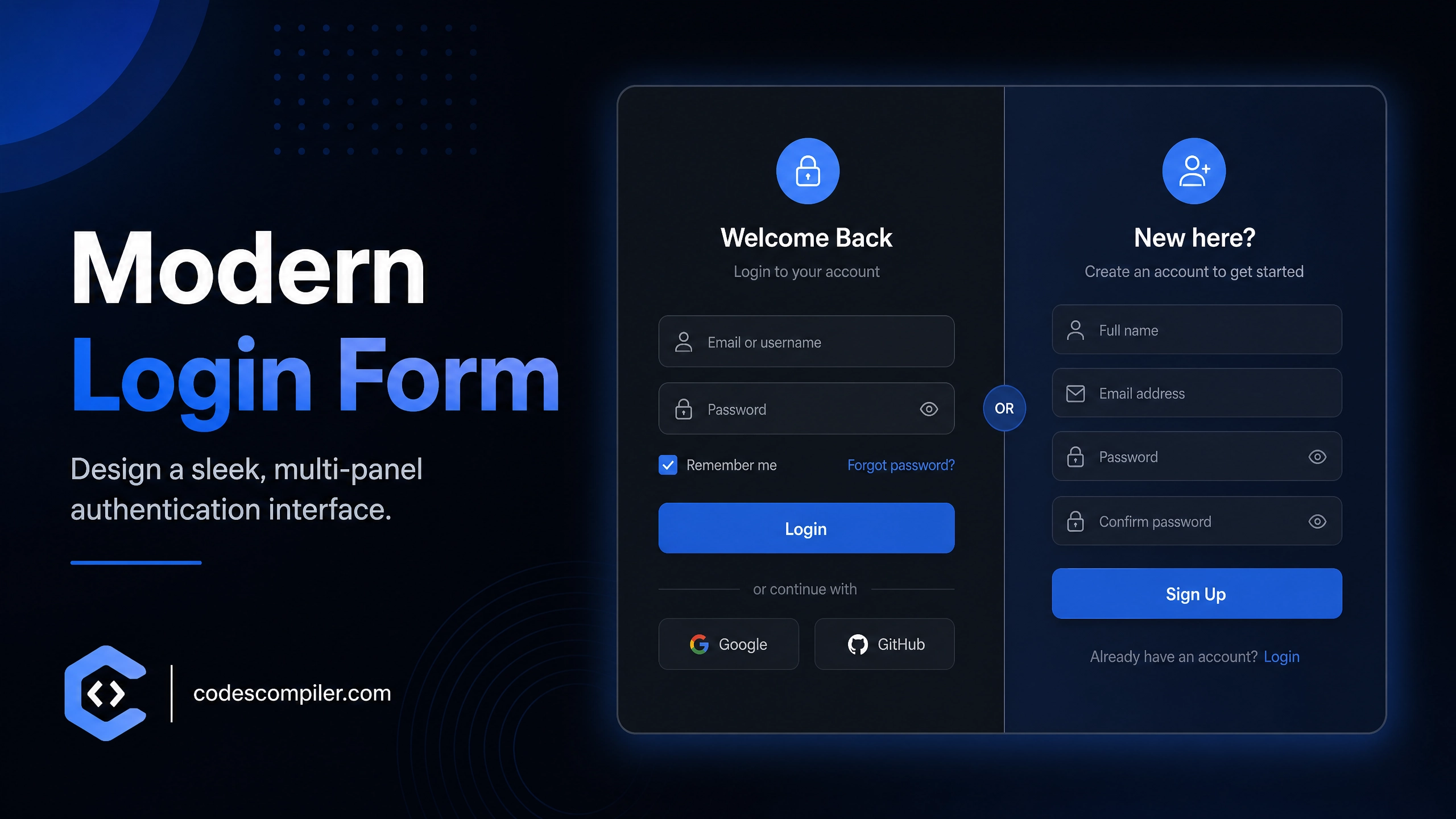
Design a Modern Login & Registration Form with HTML and CSS
Learn design a modern login & with this comprehensive guide containing source code and step-by-step instructions.
Welcome to this tutorial on Design a Modern Login & Registration Form with HTML and CSS. This is an automatically generated post based on popular examples to help you learn and implement this concept.
HTML Structure
Here is the basic HTML structure for this project:
HTML CODE
<div class="wrapper">
  <input type="checkbox" id="form-toggler" class="form-toggler" />

  <div class="container">
    <div class="forms-container">
      <!-- Login Form -->
      <div class="form-control login-form">
        <form action="#">
          <h2>Welcome Back</h2>
          <p class="subtitle">Enter your details to proceed</p>
          <div class="input-field">
            <span class="icon">📧</span>
            <input type="email" placeholder="Email" required />
          </div>
          <div class="input-field">
            <span class="icon">🔒</span>
            <input type="password" placeholder="Password" required />
          </div>
          <a href="#" class="forgot-text">Forgot password?</a>
          <button type="button" class="submit-btn" onclick="alert('Login Clicked')">Login</button>
        </form>
      </div>

      <!-- Registration Form -->
      <div class="form-control signup-form">
        <form action="#">
          <h2>Create Account</h2>
          <p class="subtitle">Join us today for free</p>
          <div class="input-field">
            <span class="icon">👤</span>
            <input type="text" placeholder="Username" required />
          </div>
          <div class="input-field">
            <span class="icon">📧</span>
            <input type="email" placeholder="Email" required />
          </div>
          <div class="input-field">
            <span class="icon">🔒</span>
            <input type="password" placeholder="Password" required />
          </div>
          <button type="button" class="submit-btn" onclick="alert('Sign Up Clicked')">Sign Up</button>
        </form>
      </div>
    </div>

    <div class="panels-container">
      <div class="panel left-panel">
        <div class="content">
          <h3>New here?</h3>
          <p>Discover a world of possibilities. Create your account and get started instantly.</p>
          <label for="form-toggler" class="outline-btn">Sign Up</label>
        </div>
        <div class="art">🚀</div>
      </div>
      <div class="panel right-panel">
        <div class="content">
          <h3>One of us?</h3>
          <p>If you already have an account, just sign in and resume your journey.</p>
          <label for="form-toggler" class="outline-btn">Login</label>
        </div>
        <div class="art">✨</div>
      </div>
    </div>
  </div>
</div>
CSS Styling
Style your component using the following CSS:
CSS CODE
@import url('https://fonts.googleapis.com/css2?family=Poppins:wght@300;400;500;600;700&display=swap');

* {
  margin: 0;
  padding: 0;
  box-sizing: border-box;
}

body {
  font-family: 'Poppins', sans-serif;
  background-color: #0f172a;
  min-height: 100vh;
  display: flex;
  align-items: center;
  justify-content: center;
  overflow: hidden;
  padding: 20px;
}

.wrapper {
  position: relative;
  width: 100%;
  max-width: 900px;
  height: 550px;
  background: #1e293b;
  border-radius: 30px;
  box-shadow: 0 30px 60px -15px rgba(0, 0, 0, 0.7);
  overflow: hidden;
}

.form-toggler {
  display: none;
}

.container {
  position: relative;
  width: 100%;
  height: 100%;
}

.forms-container {
  position: absolute;
  top: 0;
  left: 0;
  width: 50%;
  height: 100%;
  transition: transform 0.8s ease-in-out;
  background: #1e293b;
  z-index: 5;
}

.form-control {
  position: absolute;
  top: 0;
  left: 0;
  width: 100%;
  height: 100%;
  display: flex;
  align-items: center;
  justify-content: center;
  flex-direction: column;
  padding: 0 40px;
  transition: all 0.8s ease-in-out;
}

.login-form {
  z-index: 2;
  opacity: 1;
}

.signup-form {
  z-index: 1;
  opacity: 0;
  transform: translateY(50px);
}

form {
  width: 100%;
  display: flex;
  flex-direction: column;
  align-items: center;
}

h2 {
  font-size: 2.2rem;
  color: #f8fafc;
  margin-bottom: 5px;
}

.subtitle {
  color: #94a3b8;
  margin-bottom: 30px;
  font-size: 0.95rem;
}

.input-field {
  width: 100%;
  background: #0f172a;
  margin: 10px 0;
  height: 55px;
  border-radius: 15px;
  display: flex;
  align-items: center;
  padding: 0 20px;
  border: 1px solid #334155;
  transition: all 0.3s ease;
}

.input-field:focus-within {
  border-color: #3b82f6;
  box-shadow: 0 0 0 3px rgba(59, 130, 246, 0.2);
}

.input-field .icon {
  font-size: 1.2rem;
  margin-right: 15px;
}

.input-field input {
  background: none;
  outline: none;
  border: none;
  line-height: 1;
  font-weight: 500;
  font-size: 1rem;
  color: #f8fafc;
  width: 100%;
  font-family: inherit;
}

.input-field input::placeholder {
  color: #64748b;
  font-weight: 400;
}

.forgot-text {
  align-self: flex-end;
  color: #3b82f6;
  text-decoration: none;
  font-size: 0.85rem;
  margin-top: 10px;
  font-weight: 500;
  transition: 0.3s;
}

.forgot-text:hover {
  color: #60a5fa;
}

.submit-btn {
  width: 100%;
  background: linear-gradient(135deg, #3b82f6, #2563eb);
  border: none;
  outline: none;
  height: 55px;
  border-radius: 15px;
  color: #fff;
  font-size: 1.1rem;
  font-weight: 600;
  margin-top: 30px;
  cursor: pointer;
  transition: all 0.3s ease;
  box-shadow: 0 10px 20px -10px rgba(59, 130, 246, 0.6);
  font-family: inherit;
}

.submit-btn:hover {
  transform: translateY(-2px);
  box-shadow: 0 15px 25px -10px rgba(59, 130, 246, 0.8);
}

.panels-container {
  position: absolute;
  top: 0;
  right: 0;
  width: 50%;
  height: 100%;
  background: linear-gradient(-45deg, #3b82f6, #1d4ed8);
  display: flex;
  transition: transform 0.8s ease-in-out;
  border-radius: 30px;
  z-index: 10;
  overflow: hidden;
}

.panel {
  width: 100%;
  height: 100%;
  display: flex;
  flex-direction: column;
  justify-content: center;
  align-items: center;
  text-align: center;
  padding: 0 40px;
  position: absolute;
  top: 0;
  transition: all 0.8s ease-in-out;
}

.left-panel {
  left: 0;
}

.right-panel {
  left: 100%;
  opacity: 0;
  transform: translateX(100px);
  pointer-events: none;
}

.panel .content {
  color: #fff;
}

.panel h3 {
  font-size: 2.5rem;
  margin-bottom: 15px;
  font-weight: 700;
}

.panel p {
  font-size: 1.05rem;
  margin-bottom: 30px;
  line-height: 1.6;
  opacity: 0.9;
}

.outline-btn {
  display: inline-block;
  padding: 12px 35px;
  border: 2px solid #fff;
  border-radius: 30px;
  color: #fff;
  font-weight: 600;
  font-size: 1.1rem;
  cursor: pointer;
  transition: all 0.3s ease;
}

.outline-btn:hover {
  background: #fff;
  color: #1d4ed8;
}

.art {
  font-size: 6rem;
  margin-top: 40px;
  filter: drop-shadow(0 10px 20px rgba(0,0,0,0.2));
  animation: float 4s ease-in-out infinite;
}

@keyframes float {
  0%, 100% { transform: translateY(0); }
  50% { transform: translateY(-15px); }
}

.form-toggler:checked ~ .container .forms-container {
  transform: translateX(100%);
}

.form-toggler:checked ~ .container .login-form {
  opacity: 0;
  z-index: 1;
  transform: translateY(-50px);
  pointer-events: none;
}

.form-toggler:checked ~ .container .signup-form {
  opacity: 1;
  z-index: 2;
  transform: translateY(0);
  pointer-events: all;
}

.form-toggler:checked ~ .container .panels-container {
  transform: translateX(-100%);
  border-radius: 30px;
}

.form-toggler:checked ~ .container .left-panel {
  opacity: 0;
  transform: translateX(-100px);
  pointer-events: none;
}

.form-toggler:checked ~ .container .right-panel {
  opacity: 1;
  left: 0;
  transform: translateX(0);
  pointer-events: all;
}

@media (max-width: 768px) {
  .wrapper {
    height: 700px;
  }
  .forms-container {
    width: 100%;
    height: 50%;
    top: 50%;
  }
  .panels-container {
    width: 100%;
    height: 50%;
    top: 0;
    right: 0;
    border-radius: 30px 30px 0 0;
  }
  .form-toggler:checked ~ .container .panels-container {
    transform: translateY(100%);
    border-radius: 0 0 30px 30px;
  }
  .form-toggler:checked ~ .container .forms-container {
    transform: translateY(-100%);
  }
  .panel {
    padding: 0 20px;
  }
  .art {
    display: none;
  }
}
JavaScript Logic (if applicable)
For dynamic behavior, you can use the following JavaScript snippet:
JAVASCRIPT CODE
console.log('Pure CSS modern login form loaded');Feel free to customize this code for your own projects!