How to Manipulate the DOM with Vanilla JavaScript
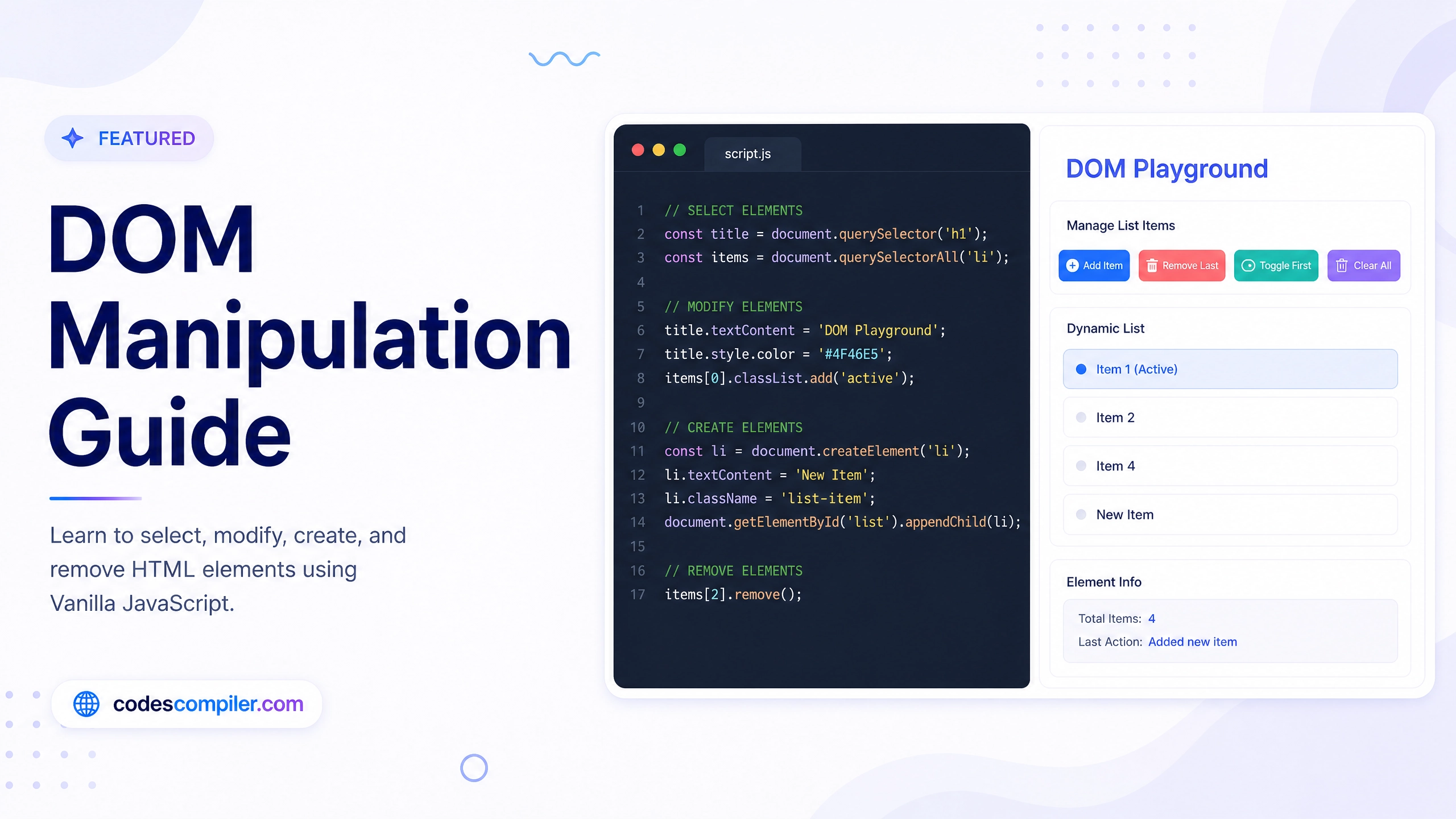
A complete guide to traversing, selecting, creating, and modifying HTML elements using Vanilla JavaScript.
Welcome to this tutorial on Manipulating the DOM with Vanilla JavaScript. The Document Object Model (DOM) is the bridge between your HTML and your JavaScript. By manipulating the DOM, you can create fully interactive web applications without needing heavy frameworks like React or jQuery.
In this guide, we will cover the core concepts: selecting elements, changing their styles, and dynamically creating or removing them.
1. Selecting Elements
Before you can change an element, you need to grab it from the HTML document.
// Grabs a single element by its ID (Fastest)
const targetBox = document.getElementById('targetBox');

// Grabs the first element that matches the CSS selector
const firstButton = document.querySelector('.btn');

// Grabs a NodeList (array-like object) of all matching elements
const allButtons = document.querySelectorAll('.btn');
2. Manipulating Styles and Classes
The best way to change how an element looks is to add or remove CSS classes. This keeps your styling logic inside your CSS file, and your interactive logic in your JavaScript.
const btnColor = document.getElementById('btnColor');

btnColor.addEventListener('click', () => {
  // .toggle() adds the class if it doesn't exist, and removes it if it does!
  targetBox.classList.toggle('highlight');

  // You can also manipulate text content directly
  if (targetBox.classList.contains('highlight')) {
    targetBox.textContent = "Highlighted!";
  } else {
    targetBox.textContent = "Target Element";
  }
});
(In your CSS, you would define .highlight { background: yellow; })
If you absolutely must apply an inline style directly via JavaScript, you can access the style property:
// This adds <div style="background-color: red;">
targetBox.style.backgroundColor = 'red';
3. Creating and Appending Elements
Often, you need to add brand new content to the page (like a new tweet in a feed, or a new item in a to-do list).
const dynamicList = document.getElementById('dynamicList');
const btnAdd = document.getElementById('btnAdd');

btnAdd.addEventListener('click', () => {
  // 1. Create the new element
  const newElement = document.createElement('li');

  // 2. Modify it
  newElement.textContent = "I am a new list item!";
  newElement.classList.add('new-item');

  // 3. Append it to the existing parent container
  dynamicList.appendChild(newElement);
});
4. Removing Elements
Removing elements is just as easy using removeChild.
const btnRemove = document.getElementById('btnRemove');

btnRemove.addEventListener('click', () => {
  // Check if the parent actually has any children
  if (dynamicList.lastElementChild) {
    // Tell the parent to remove its specific child
    dynamicList.removeChild(dynamicList.lastElementChild);
  } else {
    alert("Nothing left to remove!");
  }
});
By mastering these simple methods, you unlock the ability to build any kind of interactive user interface from scratch. Check out the Live Demo to interact with the DOM Playground we just built!