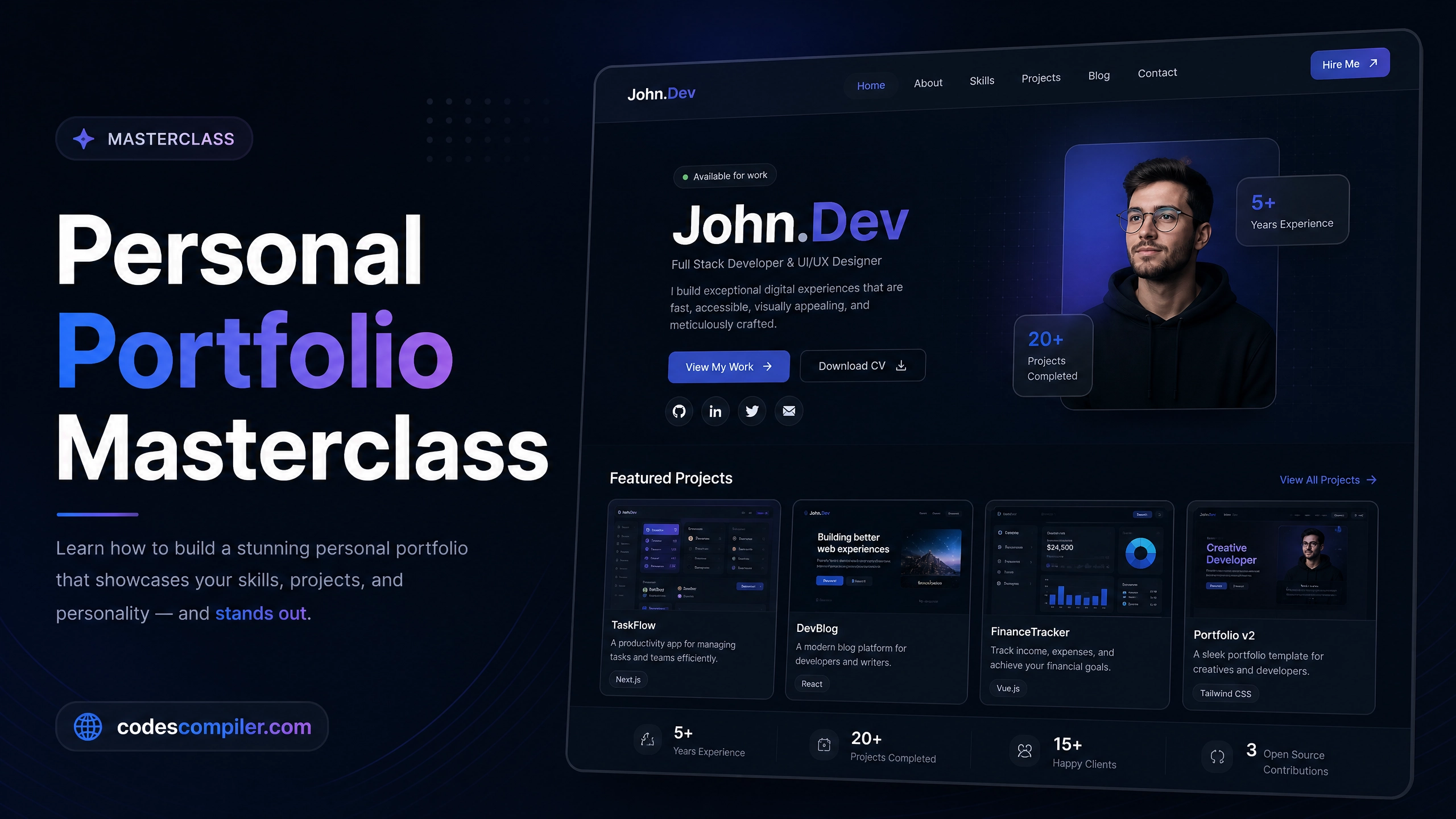
HTML & CSS Masterclass: Building a Personal Portfolio
A comprehensive guide to building a modern, dark-themed, responsive personal portfolio website from scratch using semantic HTML and flexbox/grid.
Welcome to this HTML & CSS Masterclass. Every developer needs a stunning portfolio to showcase their work. Instead of relying on a template, building your own portfolio teaches you the fundamentals of modern web layout.
In this guide, we will build a sleek, dark-themed, single-page portfolio using CSS Flexbox for the header and CSS Grid for the project layout.
1. Setting Up the Foundation
First, we set up a modern base utilizing a clean font (Outfit) and a deep, premium dark background (#0f172a).
* {
  margin: 0; padding: 0;
  box-sizing: border-box;
  font-family: 'Outfit', sans-serif;
  scroll-behavior: smooth; /* Enables smooth scrolling for anchor links */
}

body {
  background: #0f172a;
  color: #f8fafc;
  line-height: 1.6;
}
2. The Glassmorphism Navigation
The navigation bar sticks to the top of the screen and uses backdrop-filter: blur() to create a beautiful glass-like effect as the user scrolls past content.
<nav>
  <a href="#" class="logo">John<span>.Dev</span></a>
  <ul class="nav-links">
    <li><a href="#home">Home</a></li>
    <li><a href="#projects">Work</a></li>
  </ul>
</nav>nav {
position: fixed;
top: 0;
width: 100%;
background: rgba(15, 23, 42, 0.9);
backdrop-filter: blur(10px);
padding: 20px 50px;
display: flex;
justify-content: space-between;
align-items: center;
z-index: 1000;
}3. The Hero Section
The Hero section is the first thing a user sees. We use 100vh to ensure it takes up the exact height of the user’s monitor. We center the text using Flexbox.
.hero {
  height: 100vh;
  display: flex;
  align-items: center;
  justify-content: center;
  text-align: center;

  /* Adds a subtle blue glowing orb in the background */
  background: radial-gradient(circle at 80% 20%, rgba(59, 130, 246, 0.15) 0%, transparent 50%);
}

.hero h1 {
  font-size: 4.5rem;
  font-weight: 800;
  line-height: 1.1;
}
4. The Projects Grid
For the projects section, CSS Grid is our best friend. repeat(auto-fit, minmax(300px, 1fr)) automatically creates responsive columns. If the screen is too small to fit a 300px card, it automatically wraps to the next row!
.grid {
  display: grid;
  grid-template-columns: repeat(auto-fit, minmax(300px, 1fr));
  gap: 30px;
  max-width: 1200px;
  margin: 0 auto;
}

.card {
  background: #1e293b;
  border-radius: 16px;
  padding: 30px;
  transition: transform 0.3s;
}

/* Float up effect on hover */
.card:hover {
  transform: translateY(-10px);
  border-color: #3b82f6;
}
Because we utilized CSS Grid’s auto-fit and a few media queries for the font sizes, this portfolio looks just as good on an iPhone as it does on a 4K monitor. Check out the Live Demo to see the smooth scrolling and hover effects!