10 Creative CSS Button Hover Effects You Must Try
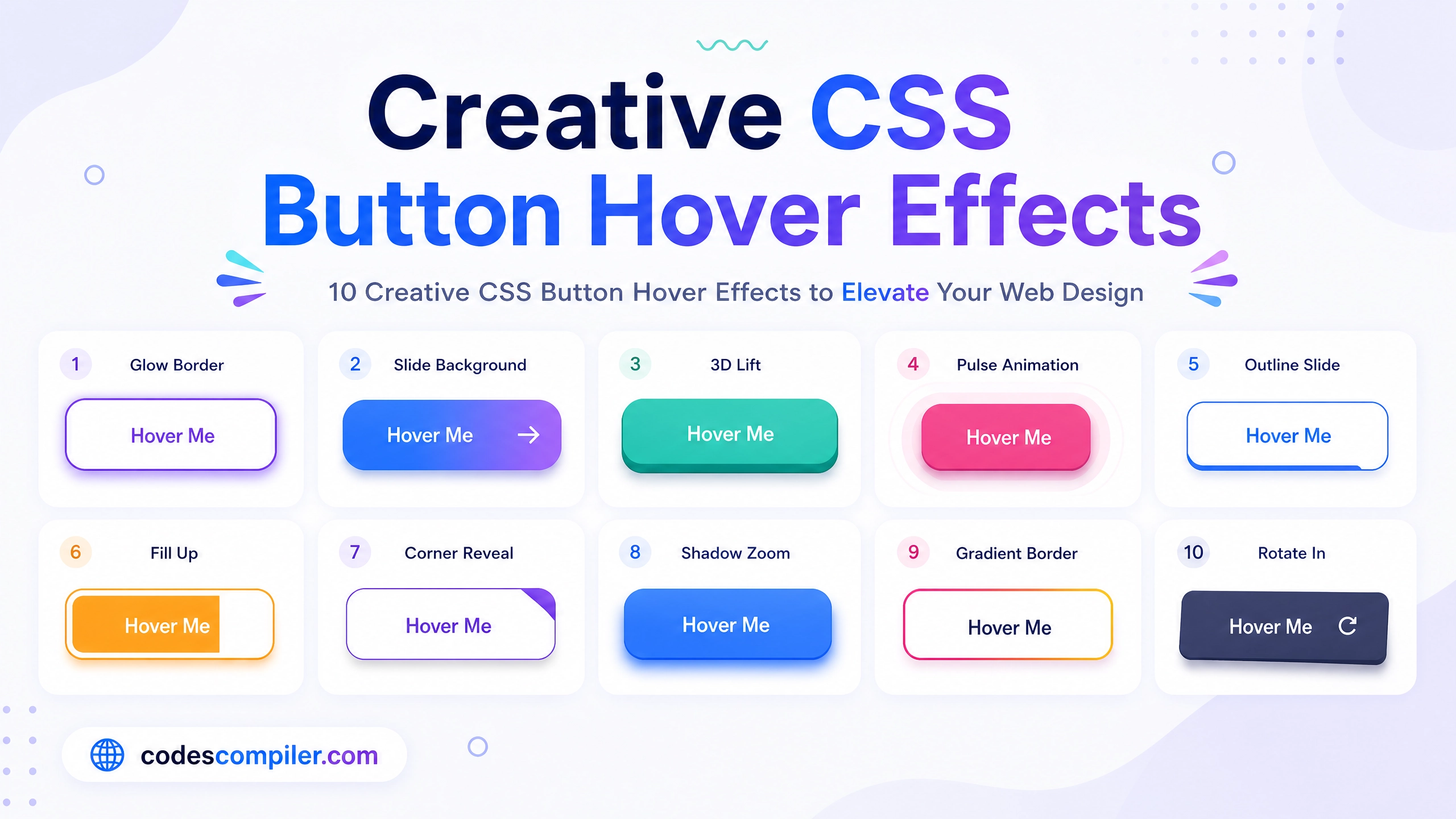
Learn 10 creative css button hover with this comprehensive guide containing source code and step-by-step instructions.
Welcome to this tutorial on 10 Creative CSS Button Hover Effects You Must Try.
HTML Structure
HTML CODE
<div class="buttons-grid">
  <button class="btn btn-1"><span>Swipe</span></button>
  <button class="btn btn-2"><span>Liquid</span></button>
  <button class="btn btn-3"><span>Neon</span></button>
  <button class="btn btn-4"><span>Border</span></button>
  <button class="btn btn-5"><span>Pulse</span></button>
  <button class="btn btn-6"><span>Glitch</span></button>
  <button class="btn btn-7"><span>Slice</span></button>
  <button class="btn btn-8"><span>Fill</span></button>
  <button class="btn btn-9"><span>Expand</span></button>
  <button class="btn btn-10">
    <div class="btn-10-inner">
      <div class="btn-10-front">FLIP</div>
      <div class="btn-10-back">HOVER</div>
    </div>
  </button>
</div>
CSS Styling
CSS CODE
@import url('https://fonts.googleapis.com/css2?family=Outfit:wght@400;600&display=swap');

body { margin: 0; padding: 0; background: #0f172a; font-family: 'Outfit', sans-serif; display: flex; justify-content: center; align-items: center; min-height: 100vh; }

.buttons-grid { display: grid; grid-template-columns: repeat(5, 1fr); gap: 30px; padding: 40px; max-width: 1200px; }

.btn { position: relative; padding: 16px 40px; font-size: 1.1rem; font-weight: 600; font-family: 'Outfit', sans-serif; color: #fff; background: transparent; border: none; cursor: pointer; outline: none; overflow: hidden; border-radius: 8px; transition: all 0.3s ease; text-transform: uppercase; letter-spacing: 2px; }

/* 1. Swipe */
.btn-1 { background: #1e293b; border: 1px solid #334155; }
.btn-1::before { content: ''; position: absolute; top: 0; left: -100%; width: 100%; height: 100%; background: linear-gradient(90deg, transparent, rgba(255,255,255,0.2), transparent); transition: all 0.5s ease; }
.btn-1:hover::before { left: 100%; }
.btn-1:hover { box-shadow: 0 0 20px rgba(255,255,255,0.1); transform: translateY(-2px); }

/* 2. Liquid */
.btn-2 { background: #3b82f6; box-shadow: 0 4px 15px rgba(59, 130, 246, 0.4); }
.btn-2::before { content: ''; position: absolute; top: 100%; left: 0; width: 100%; height: 100%; background: #2563eb; transition: all 0.4s cubic-bezier(0.4, 0, 0.2, 1); border-radius: 50% 50% 0 0; }
.btn-2:hover::before { top: 0; border-radius: 0; }
.btn-2 span { position: relative; z-index: 1; }

/* 3. Neon */
.btn-3 { border: 2px solid #ec4899; color: #ec4899; text-shadow: 0 0 10px #ec4899; box-shadow: inset 0 0 0 #ec4899; overflow: visible; }
.btn-3:hover { background: #ec4899; color: #fff; text-shadow: none; box-shadow: 0 0 20px #ec4899, inset 0 0 10px #ec4899; }

/* 4. Border */
.btn-4 { background: #1e293b; }
.btn-4::before, .btn-4::after { content: ''; position: absolute; width: 0; height: 2px; background: #10b981; transition: all 0.3s ease; }
.btn-4::before { top: 0; left: 0; }
.btn-4::after { bottom: 0; right: 0; }
.btn-4:hover::before, .btn-4:hover::after { width: 100%; }

/* 5. Pulse */
.btn-5 { background: #8b5cf6; }
.btn-5:hover { animation: pulse 1s infinite; }
@keyframes pulse { 0% { box-shadow: 0 0 0 0 rgba(139, 92, 246, 0.7); } 70% { box-shadow: 0 0 0 15px rgba(139, 92, 246, 0); } 100% { box-shadow: 0 0 0 0 rgba(139, 92, 246, 0); } }

/* 6. Glitch */
.btn-6 { background: #ef4444; }
.btn-6:hover { animation: glitch 0.2s linear infinite; }
@keyframes glitch { 0% { transform: translate(0) } 20% { transform: translate(-2px, 2px) } 40% { transform: translate(-2px, -2px) } 60% { transform: translate(2px, 2px) } 80% { transform: translate(2px, -2px) } 100% { transform: translate(0) } }

/* 7. Slice */
.btn-7 { background: #f59e0b; overflow: visible; }
.btn-7::before { content: ''; position: absolute; top: -10%; left: -10%; width: 120%; height: 120%; background: #d97706; transform: rotate(45deg) scaleY(0); transition: transform 0.4s ease; z-index: -1; }
.btn-7:hover::before { transform: rotate(45deg) scaleY(1); }

/* 8. Fill */
.btn-8 { border: 2px solid #06b6d4; color: #06b6d4; }
.btn-8::before { content: ''; position: absolute; top: 0; left: 0; width: 100%; height: 100%; background: #06b6d4; transform: scaleX(0); transform-origin: right; transition: transform 0.4s ease; z-index: -1; }
.btn-8:hover::before { transform: scaleX(1); transform-origin: left; }
.btn-8:hover { color: #fff; }
.btn-8 span { z-index: 1; position: relative; }

/* 9. Expand */
.btn-9 { background: #14b8a6; letter-spacing: 2px; }
.btn-9:hover { letter-spacing: 6px; padding: 16px 50px; background: #0d9488; }

/* 10. Flip */
.btn-10 { background: transparent; perspective: 1000px; padding: 0; width: 160px; height: 55px; }
.btn-10-inner { position: relative; width: 100%; height: 100%; text-align: center; transition: transform 0.6s; transform-style: preserve-3d; }
.btn-10:hover .btn-10-inner { transform: rotateX(180deg); }
.btn-10-front, .btn-10-back { position: absolute; width: 100%; height: 100%; backface-visibility: hidden; display: flex; align-items: center; justify-content: center; border-radius: 8px; letter-spacing: 2px; font-weight: 600; font-size: 1.1rem;}
.btn-10-front { background: #6366f1; color: white; }
.btn-10-back { background: #4f46e5; color: white; transform: rotateX(180deg); }
JavaScript Logic
JAVASCRIPT CODE
// No JavaScript required for these CSS hover effects!